
AR window visualization tools use your smartphone’s camera to overlay new window styles onto a live photo of your actual home, letting you preview the result before committing to a purchase. Our professional window installation services team can walk you through style options directly, with or without an AR preview.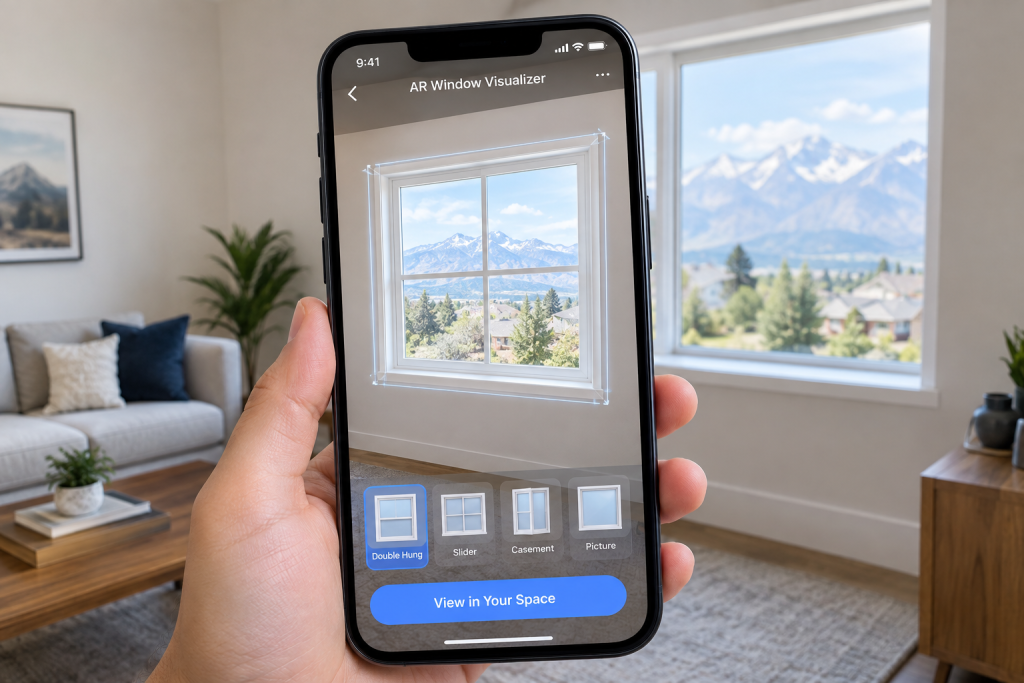
How AR Window Visualization Works
Augmented reality window tools work by taking a photo or live camera view of your home’s exterior, then digitally overlaying different window styles, frame colors, and grille patterns onto that image in real time. Unlike a generic stock photo or a static rendering, this lets you see options specifically against your own home’s siding, trim, and existing architecture.
Some tools let you swap between multiple styles side by side on the same photo, making it easier to compare options directly rather than trying to picture each one separately in your head.
Benefits of Seeing Before You Buy
The biggest advantage of AR visualization is catching a style or color mismatch before you’ve committed to an order, a window frame color that looks great in a catalog photo can look completely different against your home’s actual siding and trim. Seeing the combination on your own house first removes a lot of the guesswork that comes with choosing from swatches or a showroom display alone.
This is especially useful for larger projects involving multiple windows, where a mismatch would be a costly mistake to discover only after installation. Our full lineup of replacement windows gives you real styles and colors to compare before committing.
Limitations to Keep in Mind
AR visualization is a helpful planning tool, but it has real limits. Lighting conditions, photo quality, and the accuracy of the overlay itself can all affect how closely the preview matches the finished result. It’s also a visual tool only, it won’t tell you anything about actual energy performance, installation requirements, or whether a specific style is structurally appropriate for your opening.
Treat an AR preview as a helpful starting point for narrowing down options, not a final decision-making tool on its own. Our energy-efficient window solutions page covers the performance side an AR tool can’t show you.
Using AR Tools Alongside a Professional Consultation
The most effective way to use visualization tools is alongside, not instead of, a conversation with an experienced installer who can confirm the technical details a photo overlay can’t capture, correct sizing, structural considerations, and realistic performance expectations. Our Custom Window Planning guide covers the broader planning process, including other ways to visualize a project before committing. Our double hung window replacement options team can walk through your visualization results and confirm what’s actually feasible for your home.
Is AR Visualization Worth Using?
If you’re deciding between multiple window styles or colors and want more confidence than a catalog photo can offer, AR visualization is a genuinely useful step in the planning process. Just pair it with a real consultation before finalizing your order, since a visual preview can’t replace an accurate measurement and professional assessment of your specific opening.
Curious about visualizing new windows on your home before you buy? Schedule a free consultation with our Salt Lake City team for a free quote. You can also check out our business profile and reviews from other Salt Lake City homeowners.